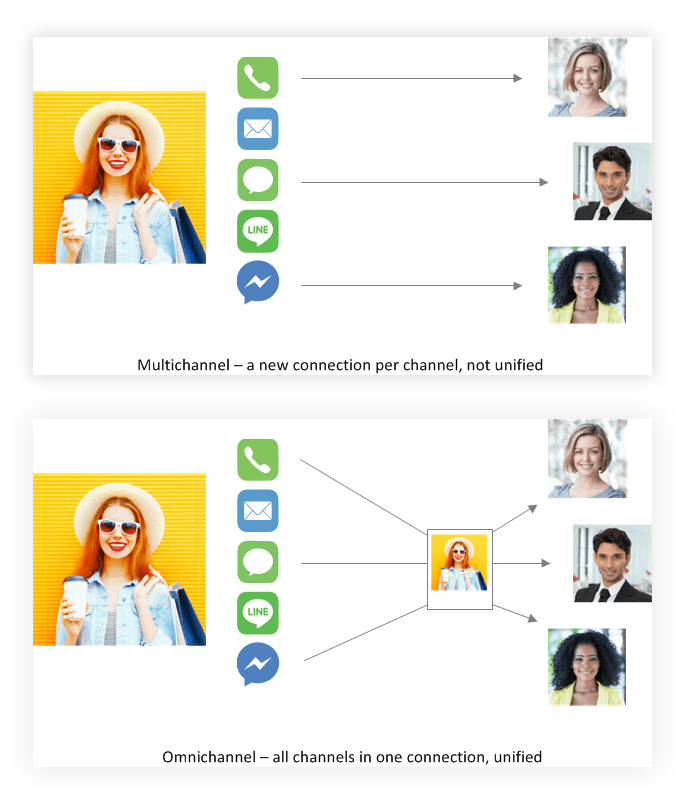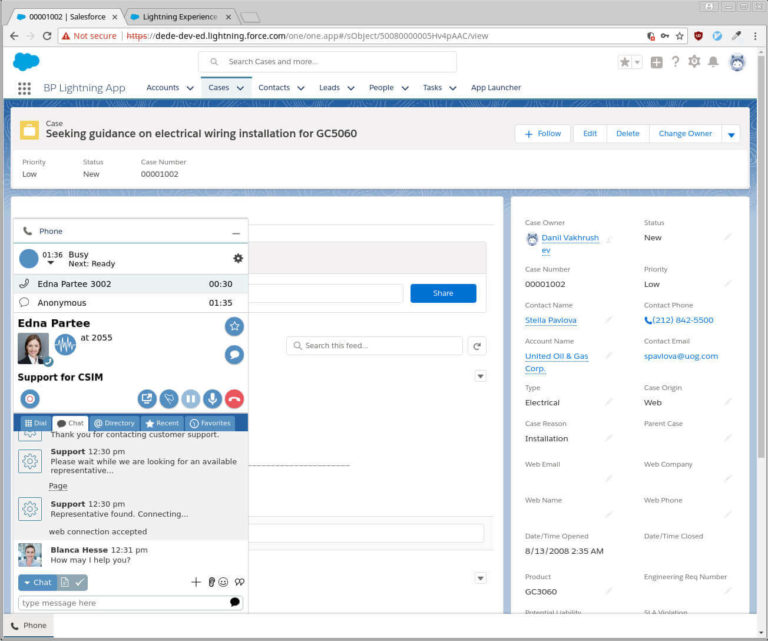












For salesforce.com users, we offer easy and tight integration with the force.com platform. It empowers your users to maintain a complete view of customer activity and to communicate with their customers the way that the customers choose to, such as phone or web chat.
Pre-packaged integration means there’s no custom coding.
With ServicePattern salesforce.com integration, you can:
- Communicate with your customers the way they choose.
- Enjoy a convenient combined user interface with zero-install and single sign-on.
- Give your customers the convenience of self-service applications.*
All of which makes your organization better equipped to compete and reach your sales and customer satisfaction goals.
Productivity
- Identified account’s information appears in screen and toaster pop-ups upon call arrival
- Single sign-on saves time logging in and reduces password problems
- Reaching your customer in one click saves time and minimizes mistakes
Customer satisfaction
- Let customers choose their channel
- Prioritize customers waiting in queue based on salesforce.com data*
- Minimize the need to repeat information on transfer with salesforce.com screen
Cost reduction
- Single sign-on reduces the effort of maintaining multiple passwords
- No need to install and maintain integration software on agent computers
- Customer self-service increases satisfaction and reduces costs*

Feature details
- The integration is pre-packaged, so no custom code is needed
- Single sign-on (salesforce.com authenticates Agent Desktop via OAuth2)
- Presence management: agent can control their availability to ACD and other agents
- Embedded Agent Desktop with call/chat control (dial, hang-up, hold/retrieve, consult & blind transfer, multi-party conference, switch between calls/chats)
- Click-to-call
- Transfer with salesforce.com object on screen as context
- Switching between calls switches contexts as well
- Agent directory, recent interactions, and favorites
- When the salesforce.com window is under other windows, the toast pop-up shows customer’s name and what service they are calling for
- Screen pop for all media types; define in scenario which objects to pop, or search terms to show results for
- Activity creation & auto association; includes call disposition, annotations, and related objects
- Built-in customizable survey scenario with capability to propagate result into activity history*
- Data lookup, including related objects and their fields*
- Customer identification and prioritization, based on data lookup*
- Manipulation of salesforce.com data (Create, Update, Delete SFDC objects)*
- Use supplied softphone browser plugin, SIP desk phone, or any PSTN number for calls
Requirements
- Browsers include:
- Internet Explorer 8+
- Mozilla Firefox 11+
- Google Chrome
- 32 & 64-bit
- OS (for softphone): Windows XP, Windows 7 Business
- IP bandwidth: 90kbps full duplex per call for voice calls and associated data
* salesforce.com data lookup and manipulation from scenarios requires the salesforce.com API option